[01]
// CASE STUDY
Chapters
The
Story
Chitkara University website
2025 · Product design, UX strategy, UI
A unified, scalable, user-centered website built to improve student conversions.
Project overview
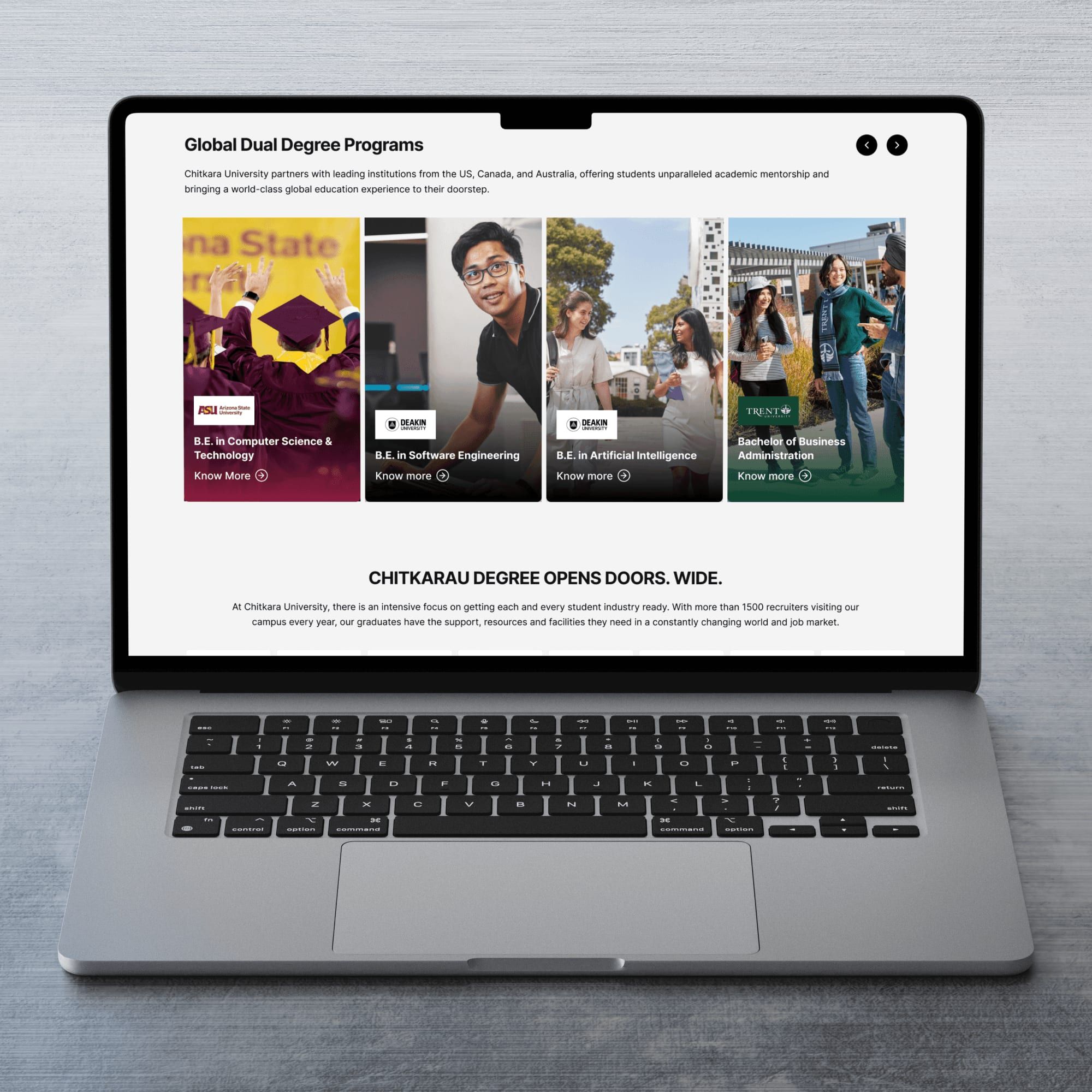
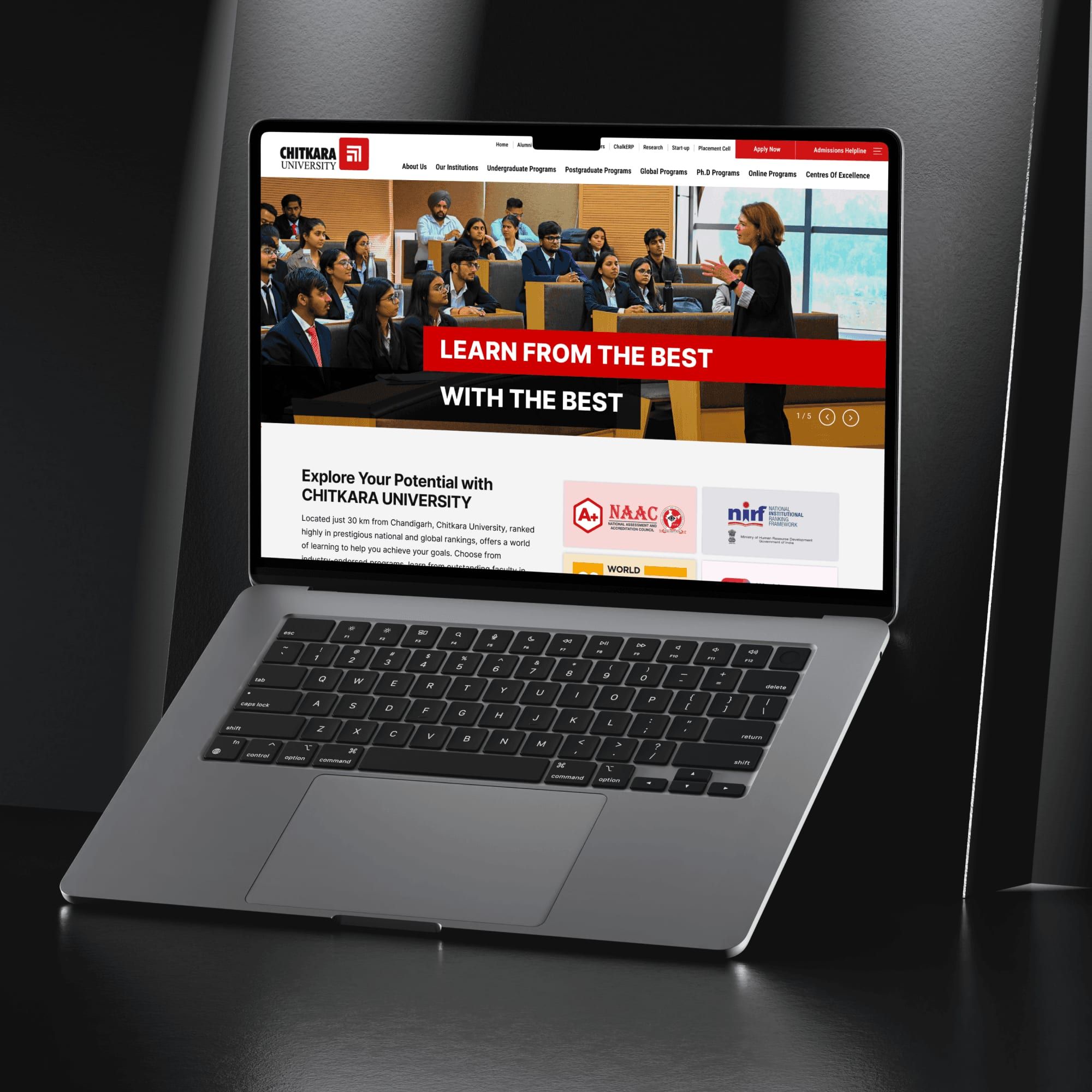
Chitkara University required a complete redesign of its public-facing website to support UG, PG, and PhD aspirants with a modern, intuitive, and high-performing experience. The existing site was content-heavy, visually inconsistent, difficult to navigate, and struggled during high-traffic admission periods. As the Senior Product/UX Designer, I led strategy, UX, UI, and system design, collaborating with marketing, admissions, engineering, content, SEO, brand, and DevOps teams to improve navigation, program discovery, conversions, scalability, and brand consistency.
The challenge
The website faced multiple challenges including information overload from hundreds of programs and pages, high conversion drop-offs due to difficulty finding eligibility, fees, placements, and CTAs, performance instability during admission seasons, outdated and inconsistent UI due to the absence of a design system, and poor mobile optimization despite most Gen-Z users browsing on smartphones.
Discovery and research process
The project followed a tightly collaborative model with weekly syncs, feasibility reviews, and detailed component documentation. Performance was a core focus, with lazy loading for heavy sections, image compression, caching strategies, CDN usage, code splitting, and static pre-rendering to ensure fast load times and stability during peak admission traffic.
Defining the core problem
Prospective students struggled to find relevant program information due to scattered content, weak visual hierarchy, and poor navigation, resulting in confusion, drop-offs, and low conversions. The root causes included an information-heavy structure without a clear content strategy, inconsistent UI patterns, slow performance during peak loads, and a lack of personalized or role-based discovery flows.
UX strategy & information architecture
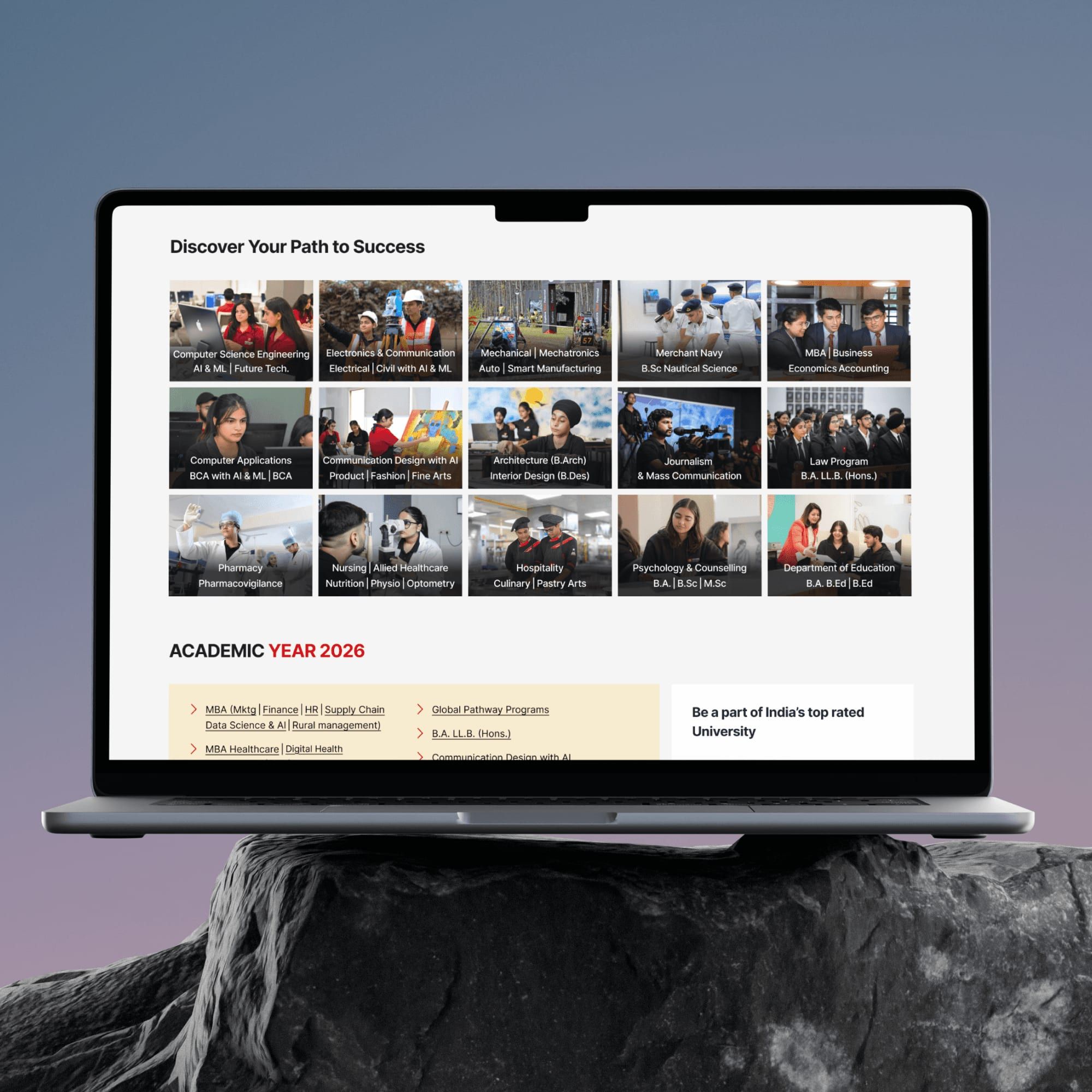
The UX strategy focused on rebuilding the information architecture using modern principles such as role-based navigation for UG, PG, and PhD users, a program-first architecture where all journeys lead to program discovery, reduced menu depth, layered content hierarchy, and persistent CTAs like “Apply Now” and “Download Brochure” to guide users toward conversion.
Key UX improvements
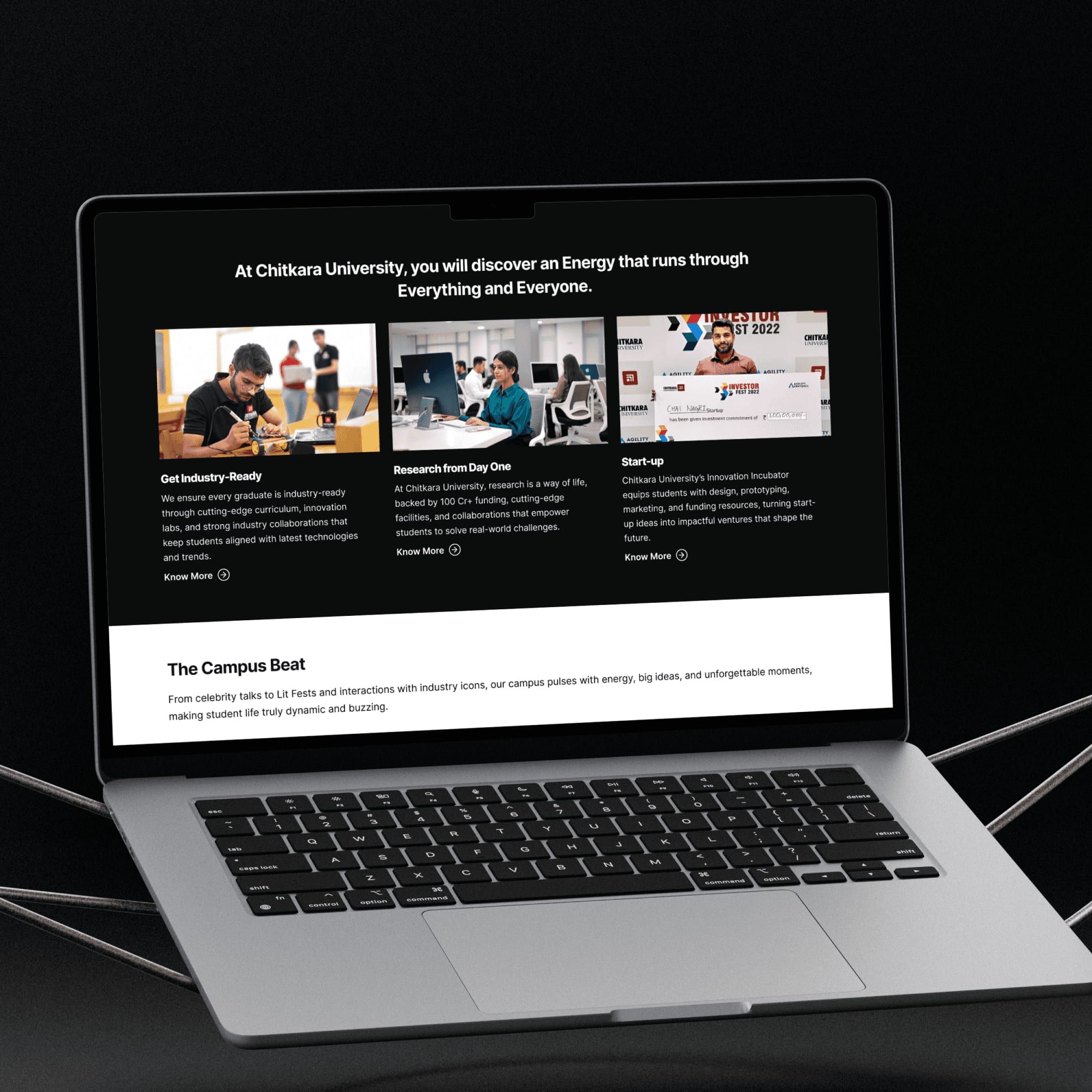
A structured program finder was introduced to allow users to explore programs by discipline, level, campus, duration, and eligibility. Program Detail Pages were redesigned as conversion engines with clear summaries, curriculum, research opportunities, placements, and strong CTAs. The admissions journey was simplified into step-by-step flows with integrated online applications, while trust-building content such as rankings, accreditations, and placement statistics was surfaced prominently. A mobile-first approach ensured ease of use for Gen-Z users.
UI design & system foundation
A unified design system was created using Chitkara’s brand colors, structured grids, standardized typography scales, reusable cards, CTAs, elevation patterns, and iconography. The visual direction remained bold, progressive, confident, and trustworthy, ensuring consistency across hundreds of pages while enabling scalability and faster development.
Role & responsibility
I led UX strategy, IA redesign, and design system alignment for the university’s main website. My focus was on simplifying discovery, improving program findability, supporting high traffic loads, and creating a strong designer–developer collaboration model.
Collaboration with developers
Working model
- Weekly sync-ups with backend & frontend
- Design feasibility sessions
- Component library documentation
- Performance-optimized components
- Lazy-loaded heavy sections
- Compressed images & caching strategies
Performance considerations
- Efficient rendering
- CDNs for images
- Code splitting
- Static pre-rendering for heavy sections
Final solution
A modern, structured, conversion-focused university website:
- Guided program discovery
- Clear IA
- High-performance pages
- Visual consistency
- Strong storytelling (placements, rankings, facilities)
- Mobile-first approach
Impact
Post-redesign outcomes showed improved navigation efficiency, reduced drop-offs on program detail pages, increased time spent exploring programs, faster page load times, and stable performance during high-traffic admission periods. Qualitative feedback indicated that students found the site easier to explore, admissions teams received fewer clarification calls, and marketing teams saw better alignment between brand storytelling and user experience.
Reflections
This project reinforced the importance of ruthless prioritization in content-heavy platforms, deep collaboration between design and engineering for performance, program-first architecture to reduce cognitive load, consistent branding to build trust, and a mobile-first mindset as a default rather than an afterthought.
Chitkara Business School
2023 · Lead designer, UX, Visual direction
Building a distinct, modern, professional digital identity for Chitkara’s Business School.
Project overview
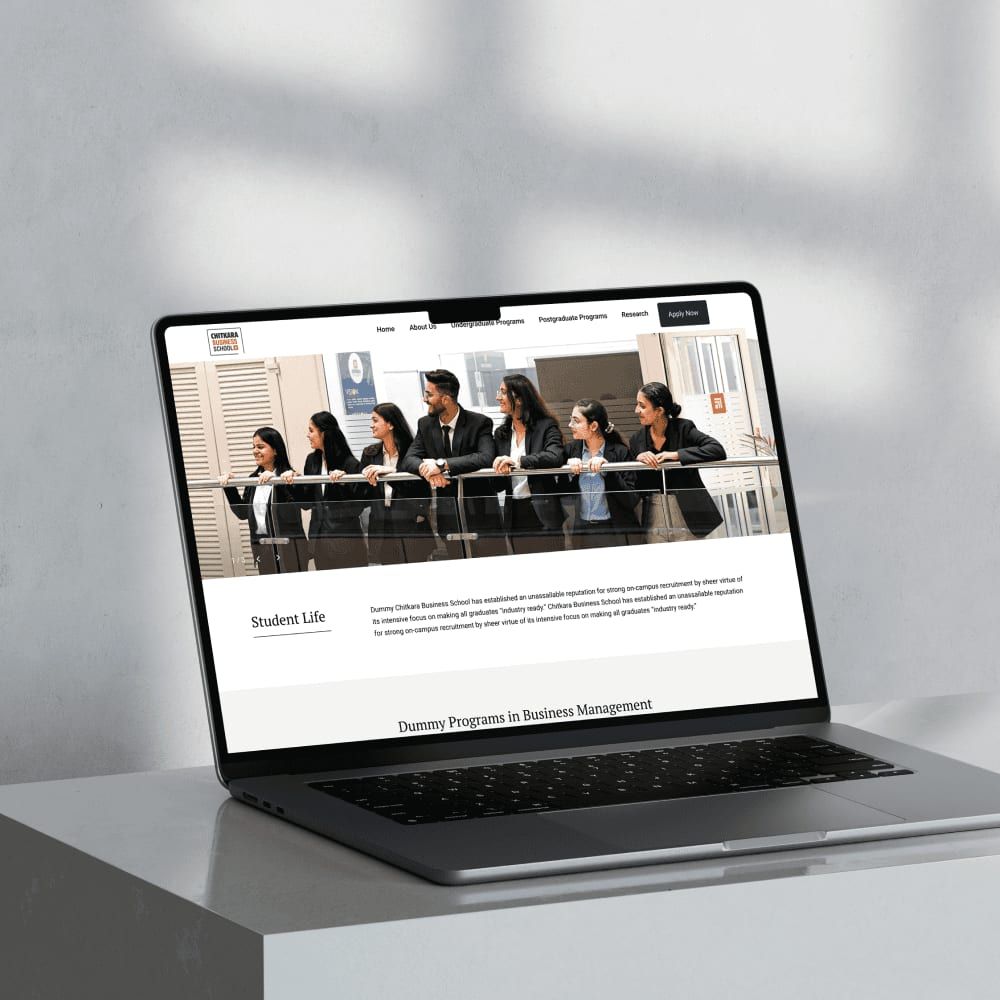
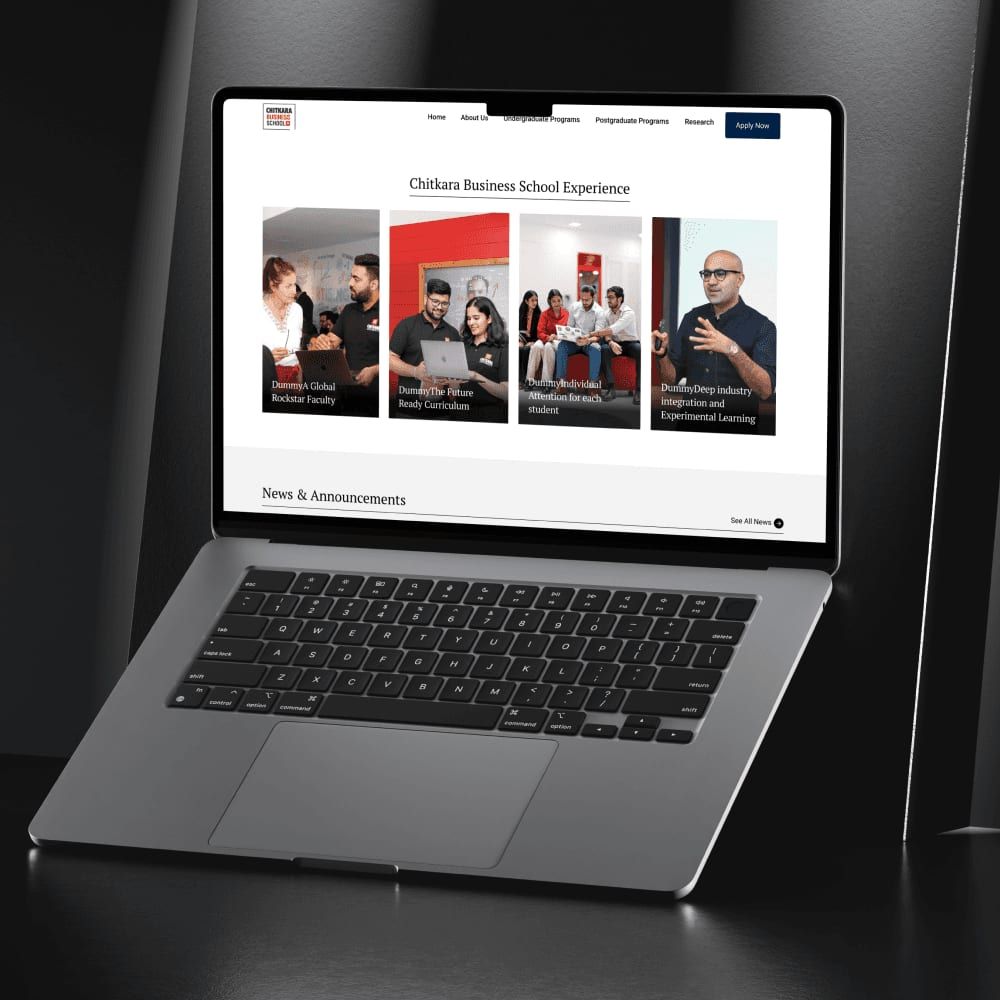
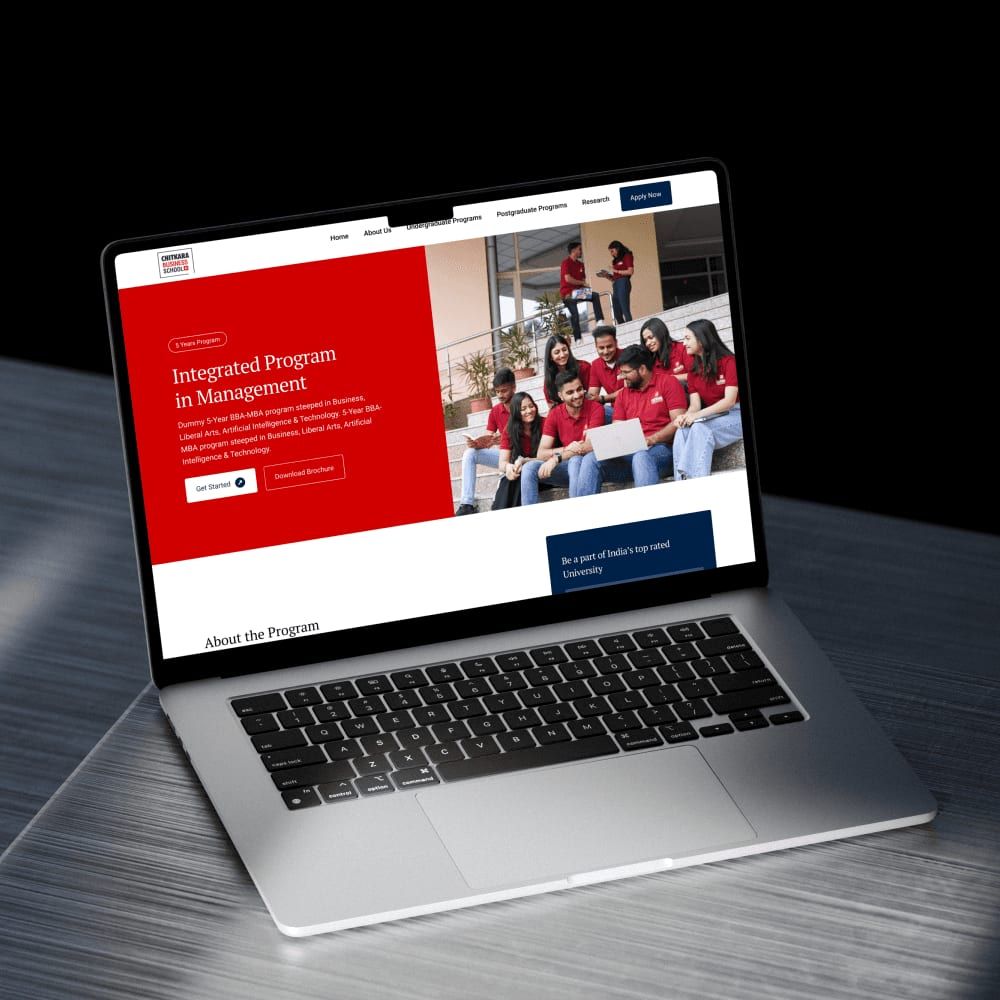
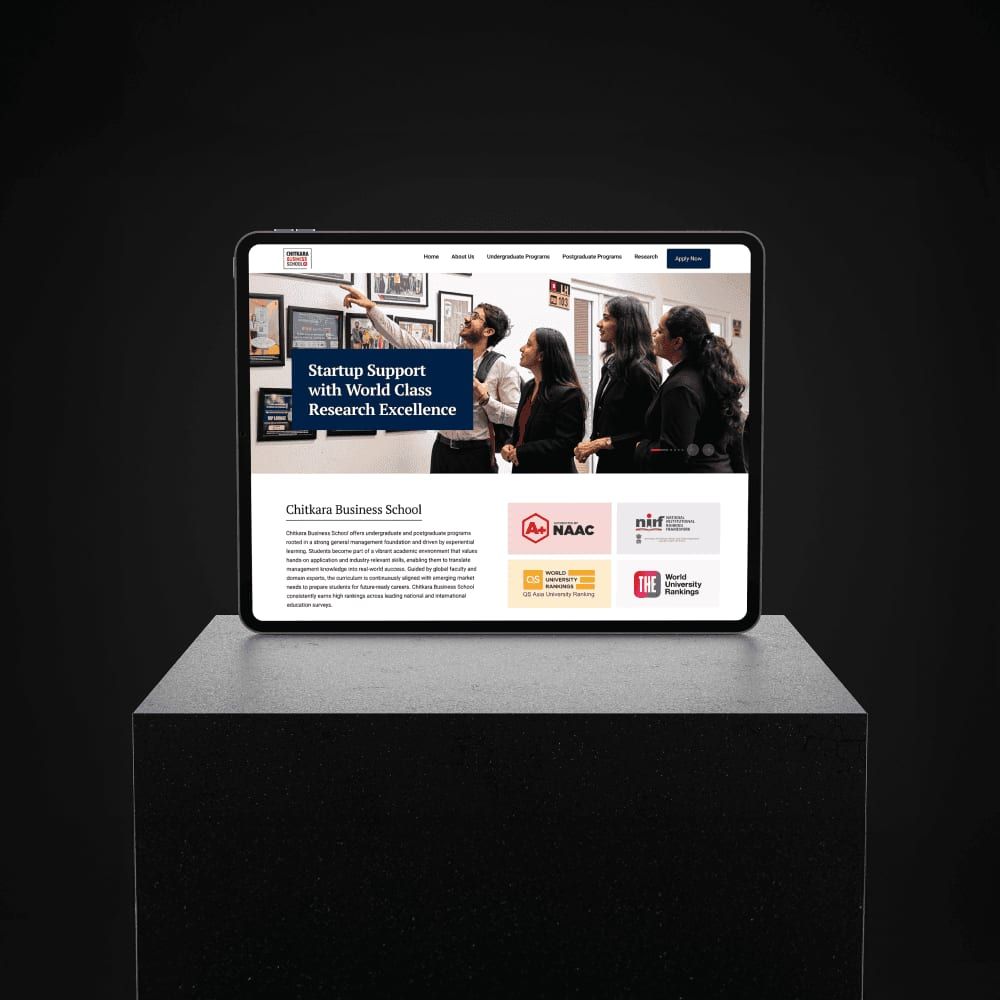
The Business School needed a digital presence that felt professional, premium, and distinct from the main university site—without breaking brand consistency. As the lead designer, I defined a new UX and visual direction, including a dedicated design system and the strategic introduction of blue to establish a corporate tone.
My focus was on outcome-driven storytelling—placements, industry exposure, and academic rigor—supported by clean navigation, strong CTAs, and polished micro-interactions. I worked closely with stakeholders to justify design decisions and with developers to ensure performance at scale. The final site positioned CBS as a modern business school aligned with global standards, improving engagement on program pages and strengthening brand perception among students and parents.
Context & problem
Chitkara Business School required a website that felt modern, corporate, and globally aligned—distinct from the main university site while still respecting brand guidelines. The challenge was differentiation without fragmentation.
Role & responsibility
As lead designer, I owned UX strategy, UI design, and the creation of a dedicated design system tailored to business education. I also led stakeholder discussions to align on visual direction and brand evolution.
Key design decisions
A strategic introduction of blue established a professional, corporate tone while maintaining Chitkara’s brand DNA. Content hierarchy was centered around outcomes—placements, industry exposure, and academic rigor. Navigation and CTAs were simplified to support fast program exploration and conversion.
Execution & collaboration
I collaborated closely with developers to ensure the system was performant and reusable. Micro-interactions were intentionally subtle to enhance polish without affecting load times.
Impact
The site achieved a clear visual identity, improved engagement on program and placement sections, and was well received by stakeholders for its premium, global feel.
Chitkara Design School
2025 · UX strategy, Branding, UI
Crafting a creative, youthful, yet professional digital identity for a modern design school.
Project overview
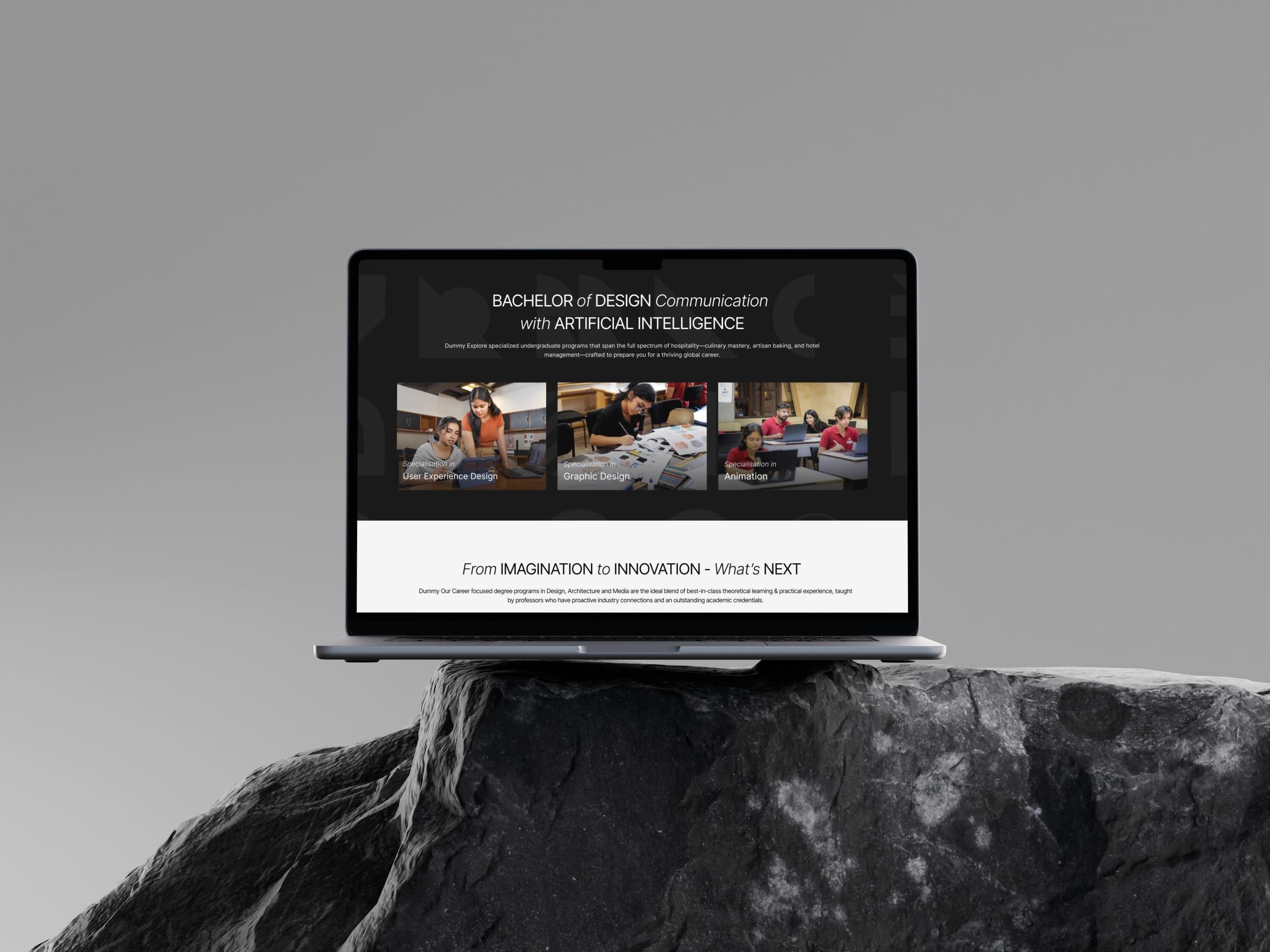
Chitkara Design School needed a completely refreshed website that celebrates creativity while maintaining the academic seriousness of a premier university. The existing site suffered from fragmented UX, inconsistent UI, weak branding, and low conversion clarity. My role involved crafting a vibrant new design direction, redesigning key UX flows, establishing a micro–design-system unique to the school, and ensuring development feasibility.

The challenge
The key challenge was introducing a bold, playful, and creative identity without breaking Chitkara University’s established red–black–white brand system. The site also needed to balance expressive visuals with professional credibility to appeal to both design aspirants and parents. Additionally, major UX issues such as poor hierarchy, cluttered layouts, unclear CTAs, and confusing navigation had to be resolved while retaining the functional goals of program discovery, admissions routing, and conversion optimization.
Research and insights
The primary users included undergraduate and postgraduate design aspirants from Gen-Z, their parents, faculty members, and creative professionals exploring academic pathways. Students were primarily seeking inspiration, clarity, and creative identity, while parents focused on credibility, outcomes, and placements.
Competitive benchmarking was conducted across leading design institutions such as NID, Pearl Academy, MIT-ID, Srishti, RMIT, and Parsons. Common patterns observed included bold typography, immersive hero sections showcasing student work, expressive color palettes, playful micro-interactions, and modular layouts that still maintained academic structure.
User testing on the old website revealed multiple pain points, including poorly grouped content, unclear navigation structure, weak storytelling, inconsistent visual hierarchy, lack of program differentiation, and minimal motivation to engage with “Apply” CTAs.
UX strategy
The UX strategy focused on creating a bright, youthful, studio-like experience supported by a clear and structured information architecture. Programs, admissions, student work, faculty, and infrastructure were reorganized into intuitive flows with improved content hierarchy. Strong storytelling sections highlighted student life and creative culture, while sticky CTAs and simplified admissions journeys ensured that creativity never compromised conversion goals. Subtle micro-interactions added personality without affecting usability or performance.
Visual direction and UI system
Color Palette – Expanding Beyond Red/Black/White
We introduced a secondary creative palette in controlled ways: yellows, blues, greens, and pastel accents—strictly moderated to maintain academic tone. These colors served functional purposes (section separation, highlights, navigation clarity).
Typography – Bold + Friendly
Heading fonts were chosen to feel modern & expressive, while body text remained clean and academic. This dual-typography system balanced creativity with professionalism.
Component library
We developed reusable elements:
- Program cards
- Showcase carousels
- Image grids
- Feature blocks
- Animated hero sections
- Sticky CTA patterns
Creative layout patterns
Layouts used broken grids, overlapping elements, asymmetry, and generous whitespace—giving the site a “design school” personality without sacrificing readability.
UX and IA improvements
Program discovery was rebuilt so each course clearly communicated curriculum, eligibility, labs, career outcomes, and student work, helping users compare creatively driven programs with confidence. The admissions flow was simplified with clearer steps, dedicated hubs, and mobile-first layouts. Student portfolios and projects were placed at the center of the experience to boost authenticity, while faculty and lab pages were redesigned to feel more visual, engaging, and aspirational.
Role & responsibility
I led UX and UI redesign, defining a creative yet structured visual language, rebuilding IA, and establishing a micro design system unique to the design school.
Development collaboration
We collaborated closely with developers to implement animations, grids, and creative elements without harming performance. Provided detailed component specs, motion guidelines, design tokens, and breakpoints for every layout.
Used asset compression, lazy loading, and optimized SVG interactions to ensure speed on mobile devices.
Final result
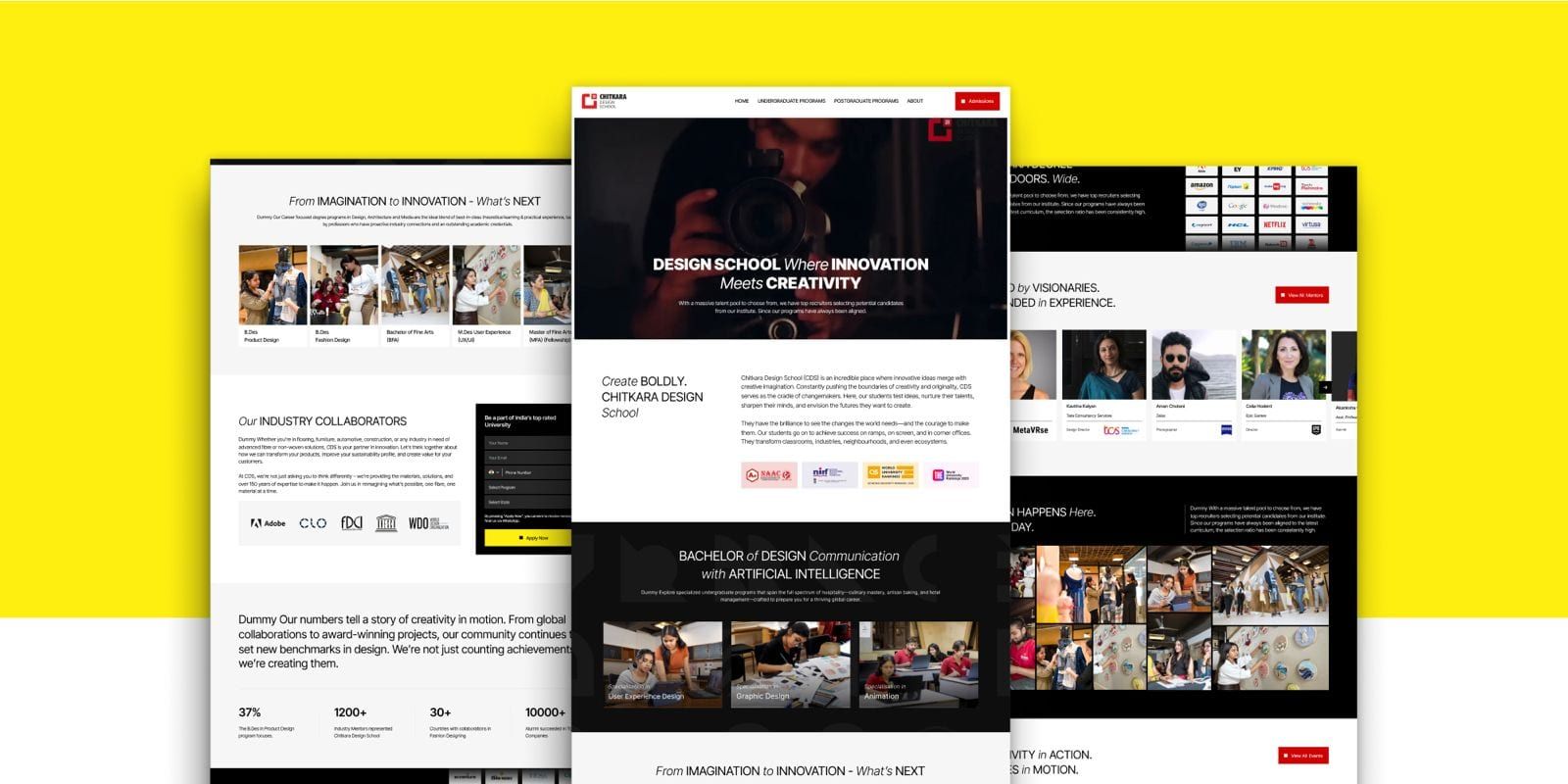
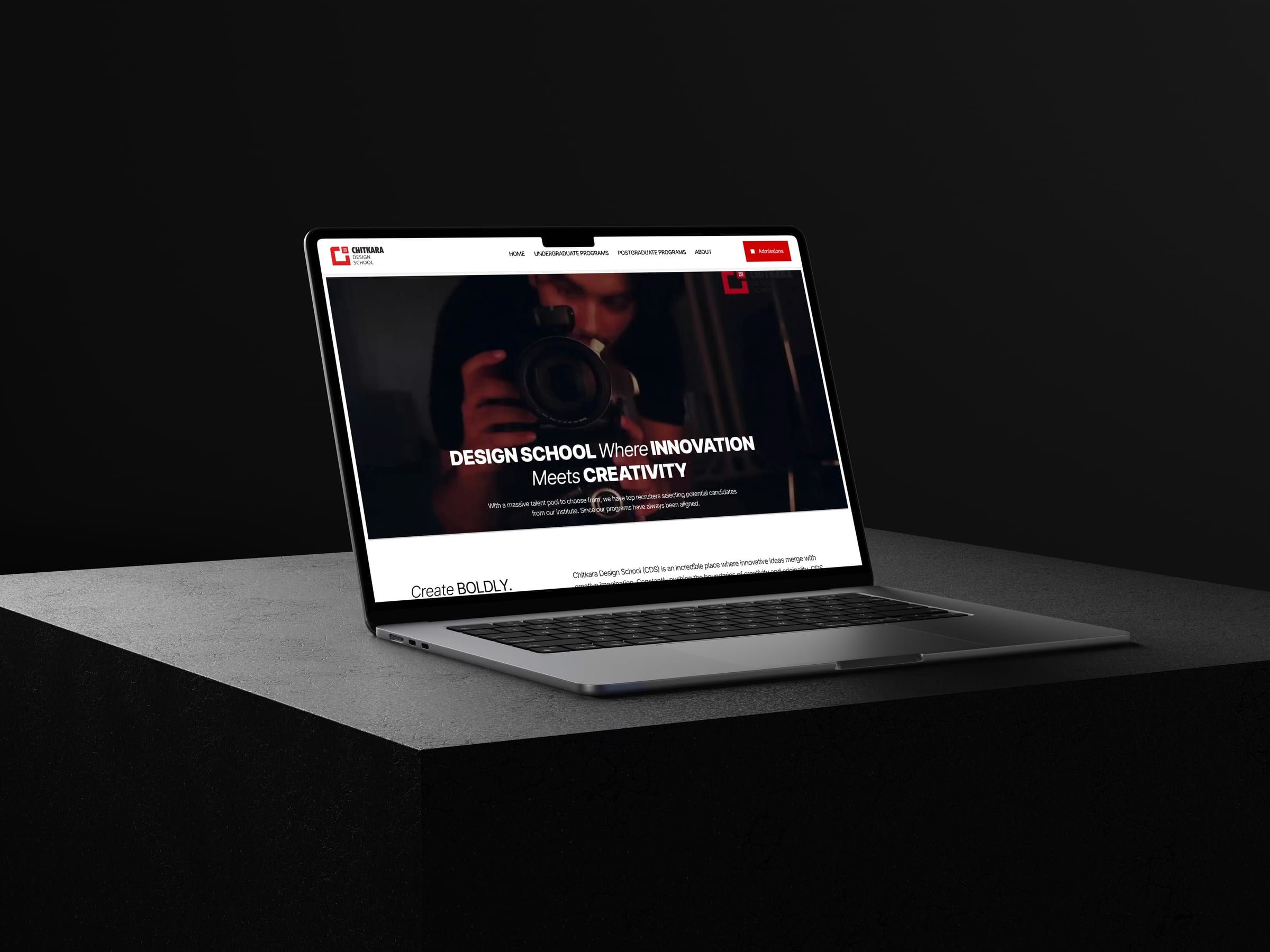
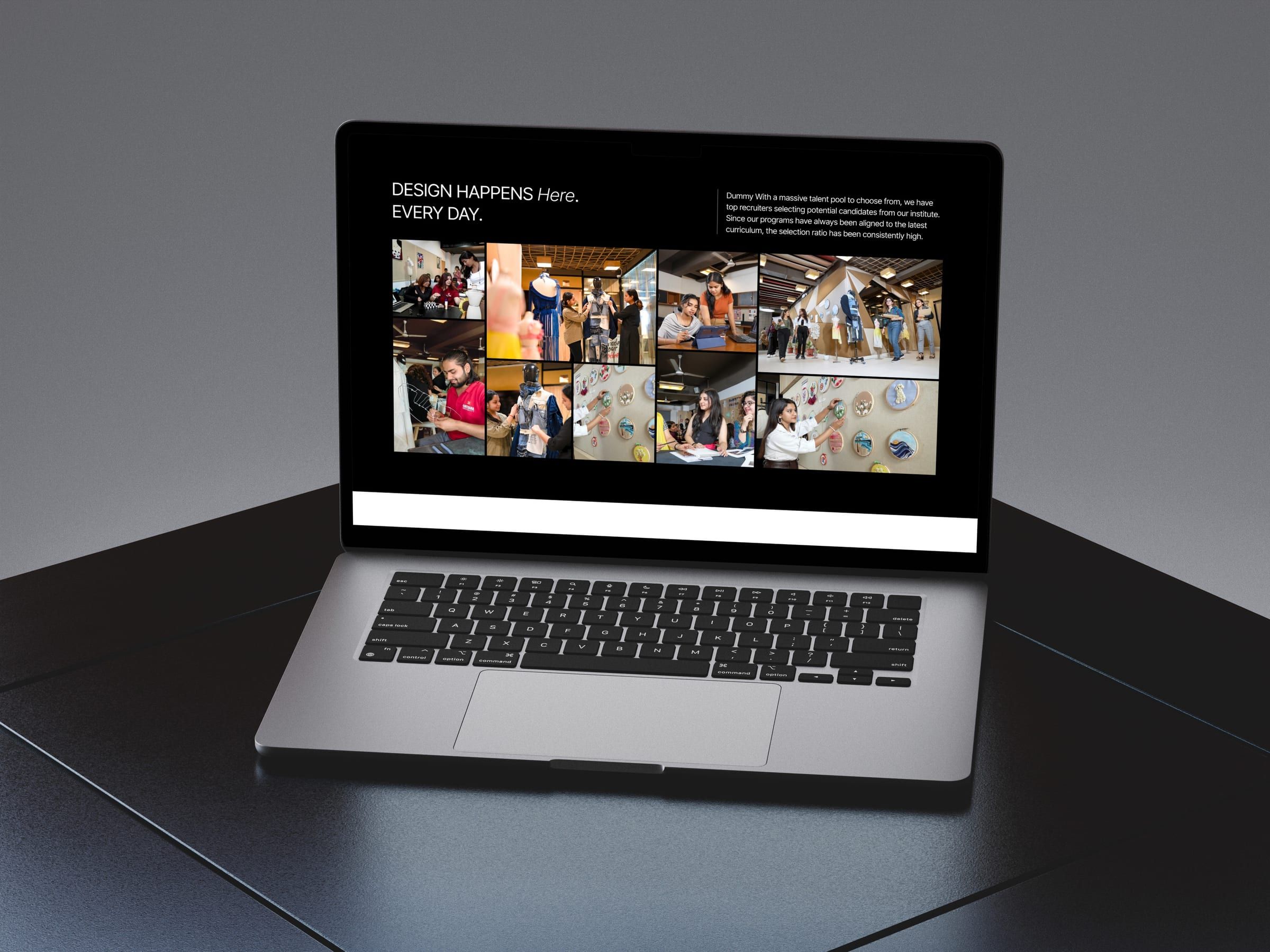
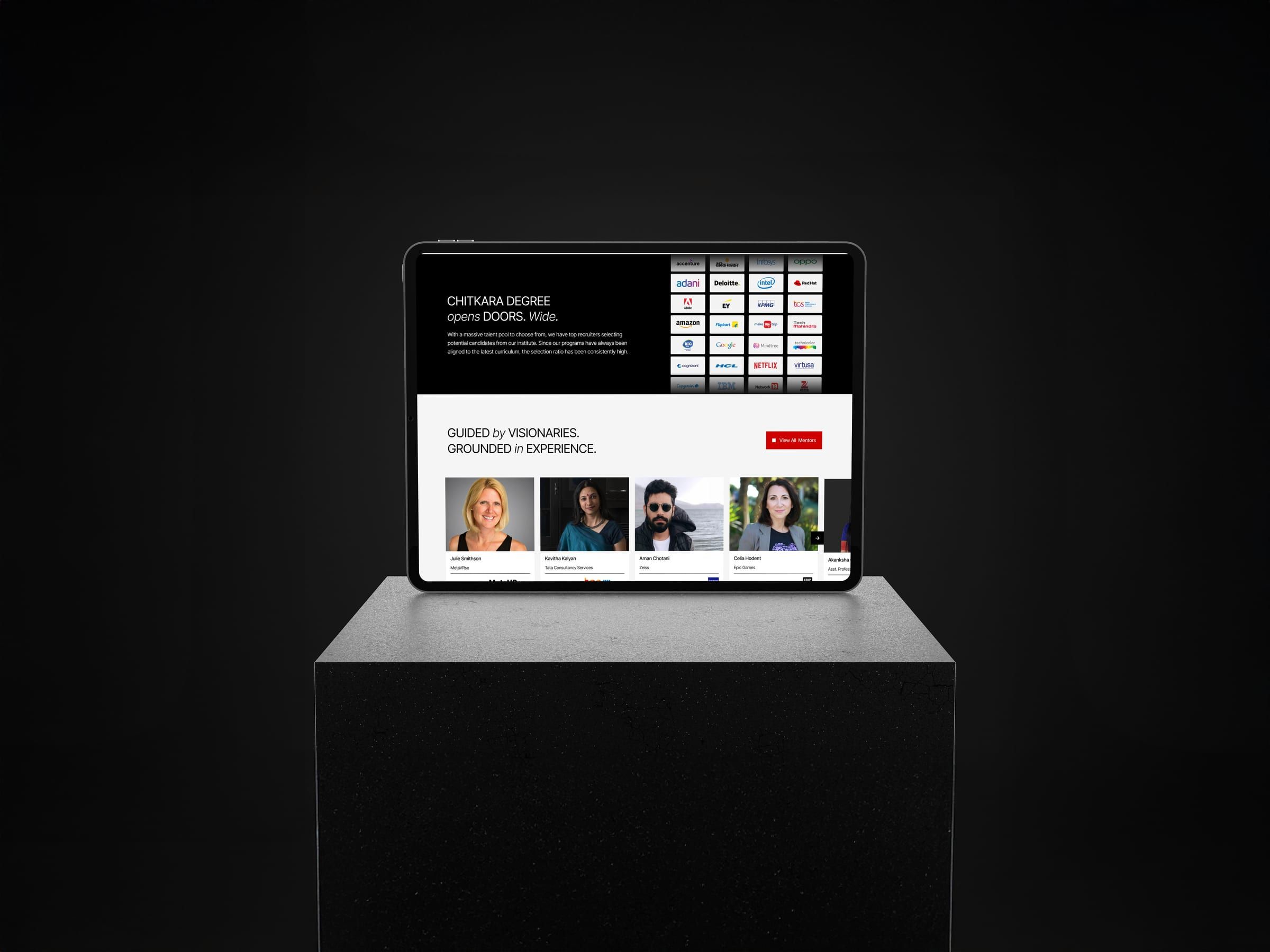
The newly redesigned Chitkara Design School website feels creative, premium, youthful, and academic—a perfect match for design aspirants. It stands apart from all other Chitkara sub-sites with its bright theme, expressive visuals, and engaging interactions, while maintaining strong UX clarity and conversion focus.
Impact
The new site differentiated the Design School clearly, increased engagement, and created a strong emotional connection for prospective students.
Reflections
This project reinforced the nuances of designing for creative education—balancing bold expression with structured academic information. It showcased the importance of storytelling through visuals and highlighted the power of design systems when dealing with multi-site university ecosystems.
ATOM admissions portal
2022 · Product design
Admissions and lead management portal for Chitkara University.
Project overview
ATOM is Chitkara University’s centralized admissions and lead management platform designed to manage the complete journey from student enquiry to admission confirmation. I worked as the Product Designer across UX, information architecture, interaction design, and UI design to create a system that supports internal operational efficiency for admissions teams while delivering a clear, low-friction application experience for prospective students across web and mobile.
The challenge
Before ATOM, admissions workflows relied on disconnected tools such as spreadsheets and multiple lead sources, resulting in poor visibility into lead status, delayed follow-ups, complex application forms, and weak coordination between counselling and admissions teams. This led to missed opportunities, low conversion rates, inconsistent applicant experiences, and high operational overhead during peak admission cycles.
Product goals
For admissions teams, the goal was to centralize all leads, reduce manual work, track counselling progress clearly, and improve visibility into lead-to-admission conversion. For students, the goal was to simplify the application process, reduce confusion across long forms, support mobile-first behavior, and increase form completion rates through guided and transparent flows.
Product architecture
ATOM was designed as two tightly connected systems sharing a common data layer: an internal admissions and lead management system used by managers and counsellors, and an external student application system optimized for prospective applicants. Each system was tailored to its users’ workflows while remaining synchronized to avoid data silos.
User group 1: admissions managers & counsellors
-
Manager Dashboard (Web & Mobile) The manager dashboard provides a real-time overview of admissions activity, including total leads, lead status distribution, application progress, follow-up reminders, and quick actions. The UX intent was to reduce time-to-insight, enable faster decision-making, and allow managers to act immediately without navigating deep menus.
-
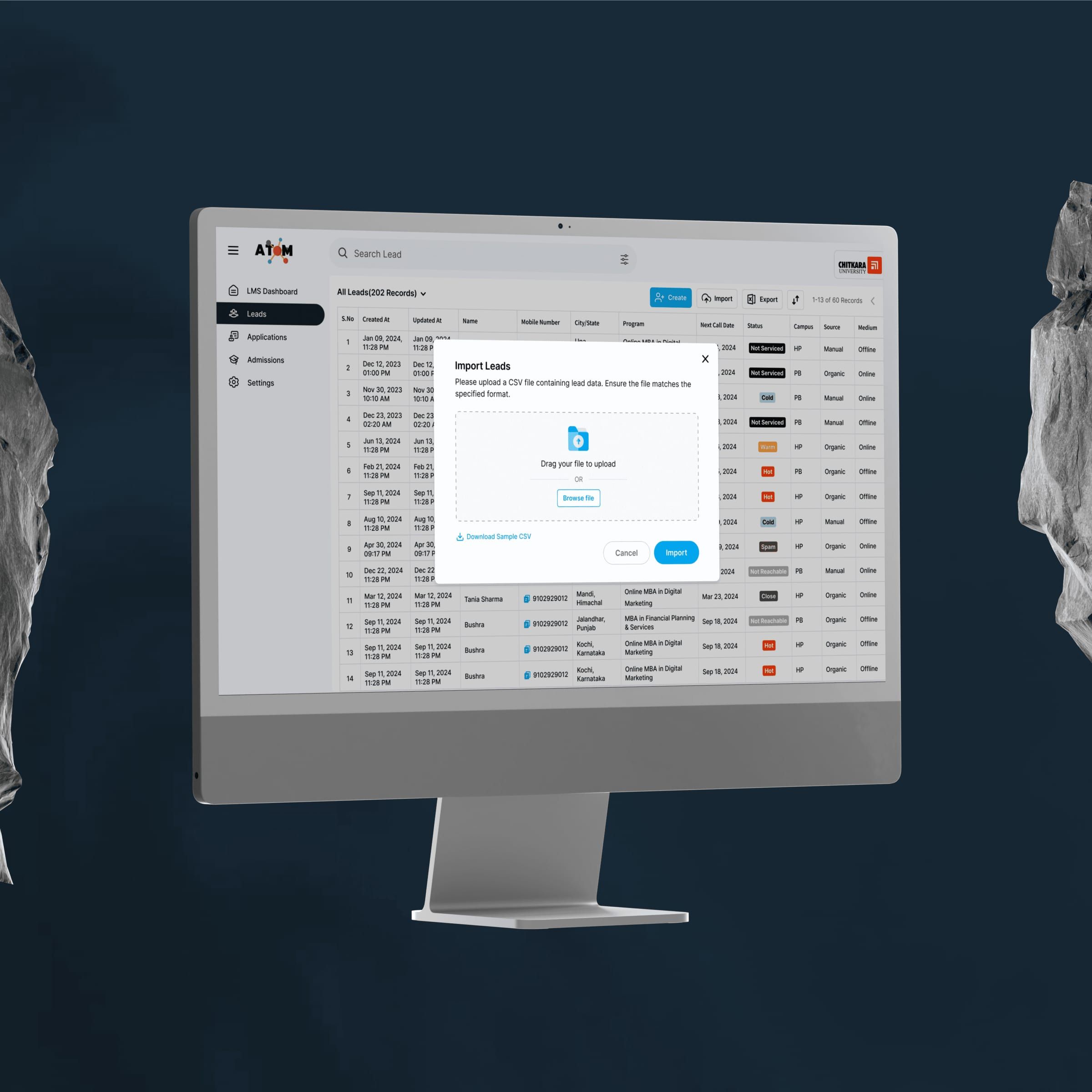
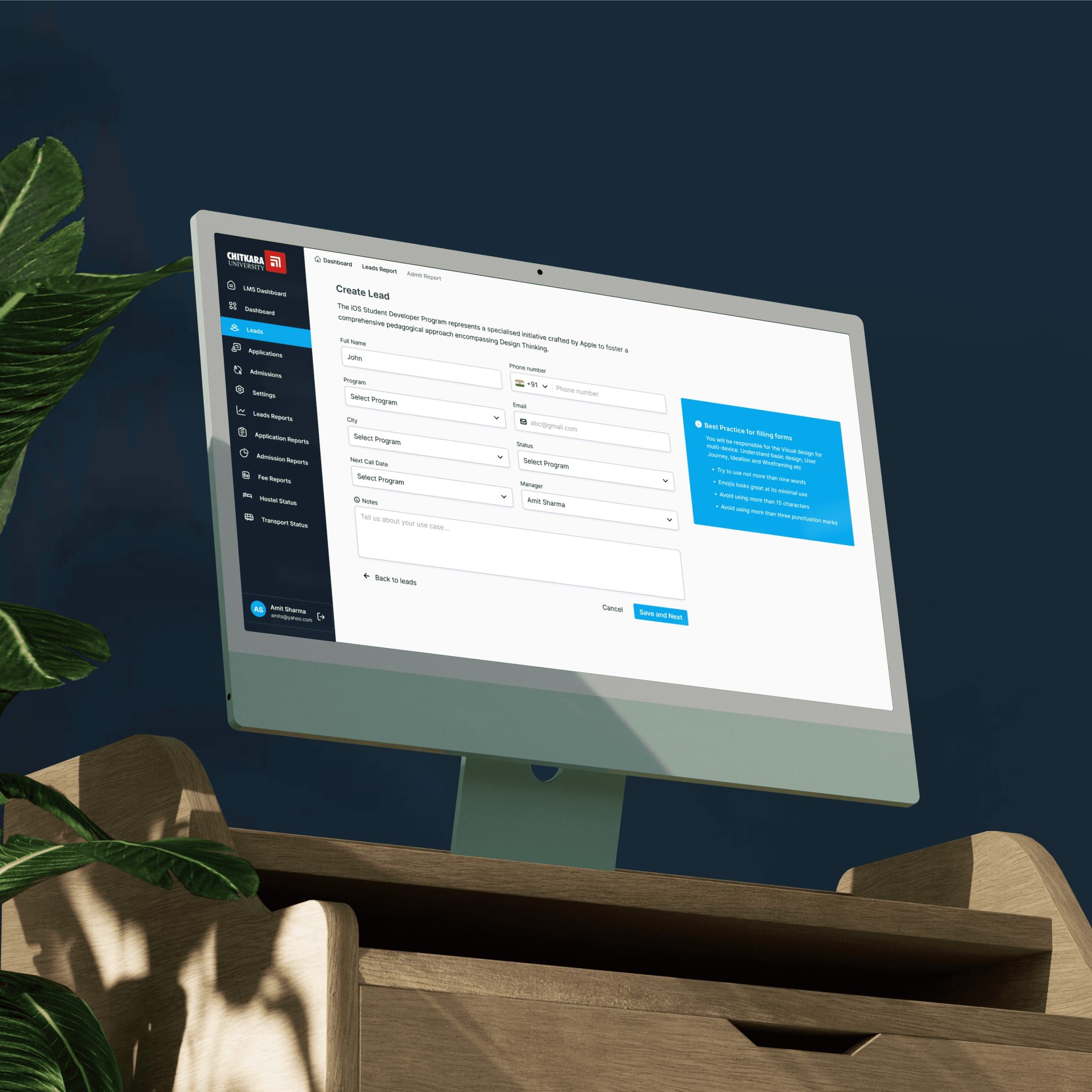
Lead Management The lead management module presents all incoming leads in a structured, filterable list with search by name, phone, or email. Each lead has a detailed profile containing student information, program interest, interaction history, counsellor notes, and application status, ensuring a single source of truth and eliminating reliance on memory or external tools.
-
Lead Assignment & Follow-ups Leads can be assigned to counsellors, tracked through follow-up attempts, and updated using predefined status values such as Interested, Applied, or Converted. A status-driven workflow was chosen over free-form notes to make tracking measurable, consistent, and easier to report on across teams.
-
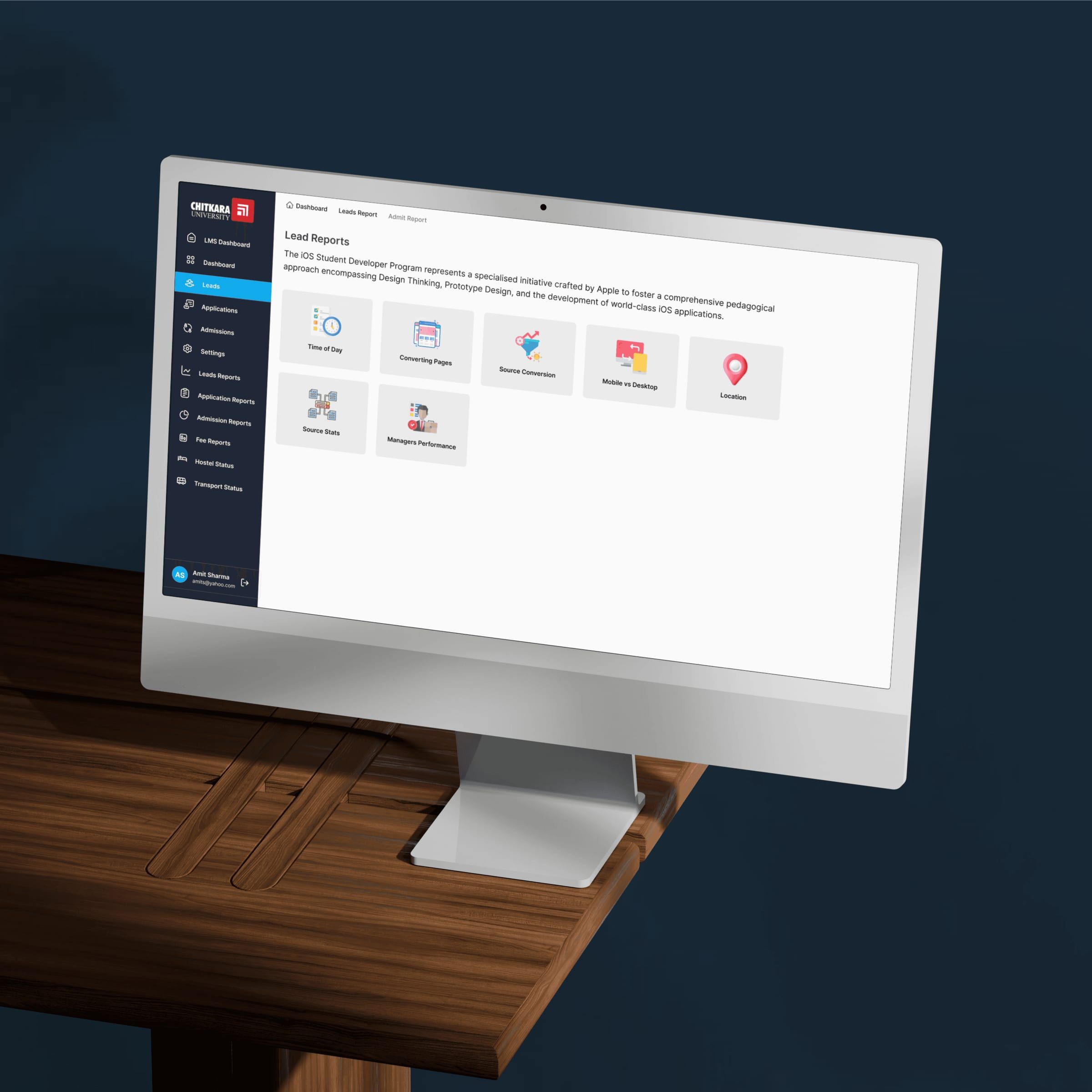
Reporting & Insights (Manager View) Managers have access to reporting views that surface lead source performance, counsellor effectiveness, conversion funnels, and drop-off points. The UX focus was to enable data-backed admissions decisions and help teams identify bottlenecks early in the admission cycle.
User group 2: student application system
-
Application Entry Points Students enter the application flow through multiple touchpoints including the university website, counsellor-shared links, and campaign landing pages. These entry points were designed to be consistent and frictionless, ensuring continuity regardless of how a student discovered the application.
-
Application Form Structure (Web & Mobile) The student application form was designed as a step-by-step flow rather than a single long form, breaking the process into manageable sections such as personal details, academics, program selection, document upload, and review. UX decisions such as progress indicators, inline validation, and save-and-resume functionality significantly reduced cognitive load and abandonment.
-
Mobile-first Considerations Given that a large portion of applicants apply via mobile devices, the application experience was optimized for thumb-friendly inputs, minimal typing, simplified document uploads, and clear error messaging. This ensured accessibility and ease of use even during long form submissions.
-
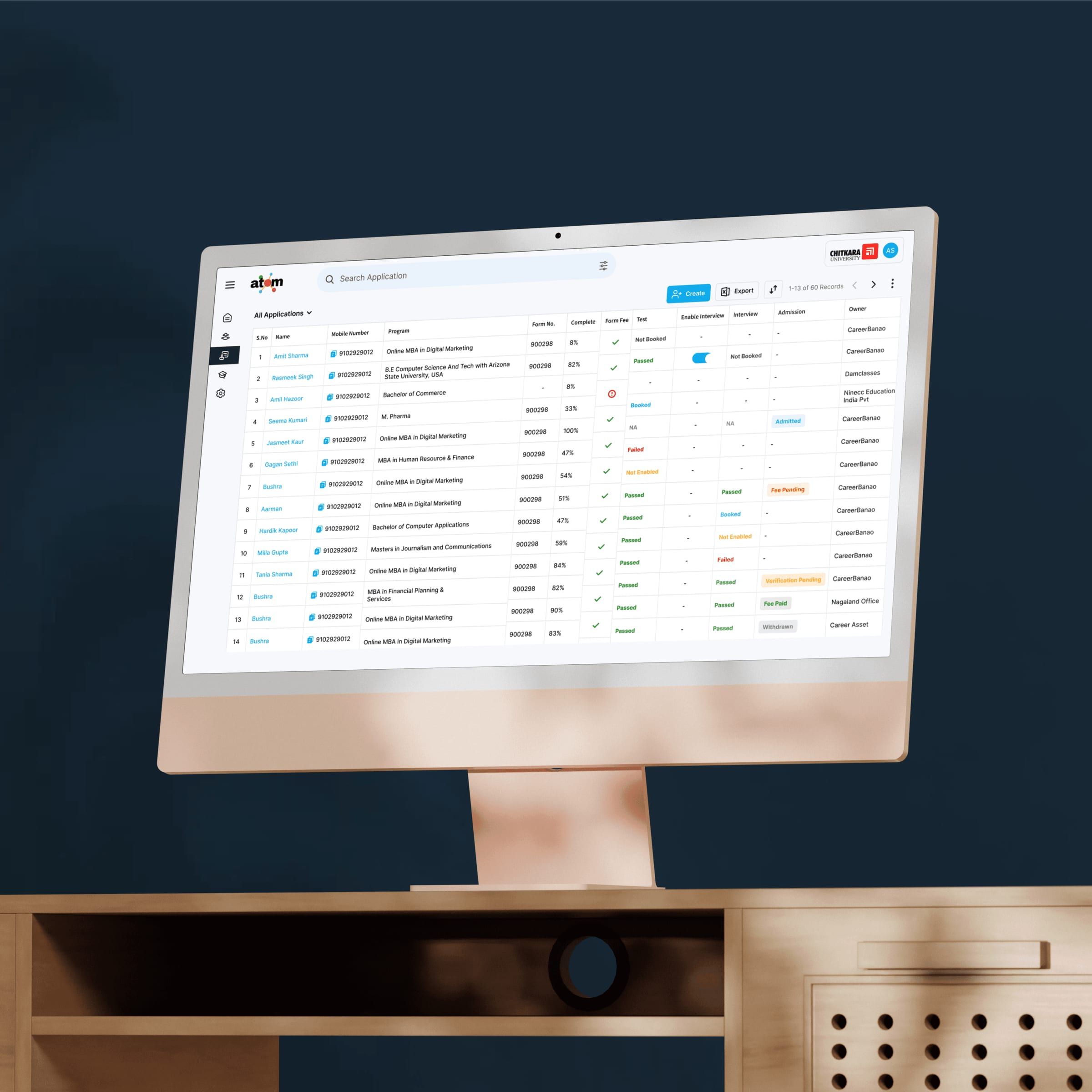
Application Status Tracking (Student View) After submission, students can track their application status through clear states such as under review, documents pending, or offer issued. This transparency reduces anxiety, builds trust, and minimizes support queries to the admissions team.
Core user flows
The admissions team flow follows a clear sequence of receiving leads, assigning them, conducting follow-ups, tracking progress, and converting applicants. The student flow moves from applying to completing the form, submitting, and tracking status, with both flows designed to support each other rather than operate in silos.
Challenges & trade-offs
A key challenge was balancing power and simplicity, as managers required dense data views while students needed clarity and guidance. This was addressed through role-based interfaces and distinct interaction patterns. Reducing application drop-offs required progressive disclosure and mobile-first UX, while scaling for peak admission periods demanded performance-friendly layouts, reduced visual clutter, and clear system feedback.
Outcomes and impact
ATOM improved lead visibility, reduced follow-up delays, lowered application abandonment rates, and strengthened coordination between admissions teams. The system proved scalable across programs and campuses, supporting high traffic during admission cycles without compromising usability.
Future enhancements
Planned enhancements include automation-based lead scoring, WhatsApp and SMS follow-ups, richer applicant dashboards with document tracking, analytics-driven form optimization, and deeper integrations with ERP and CRM systems.